
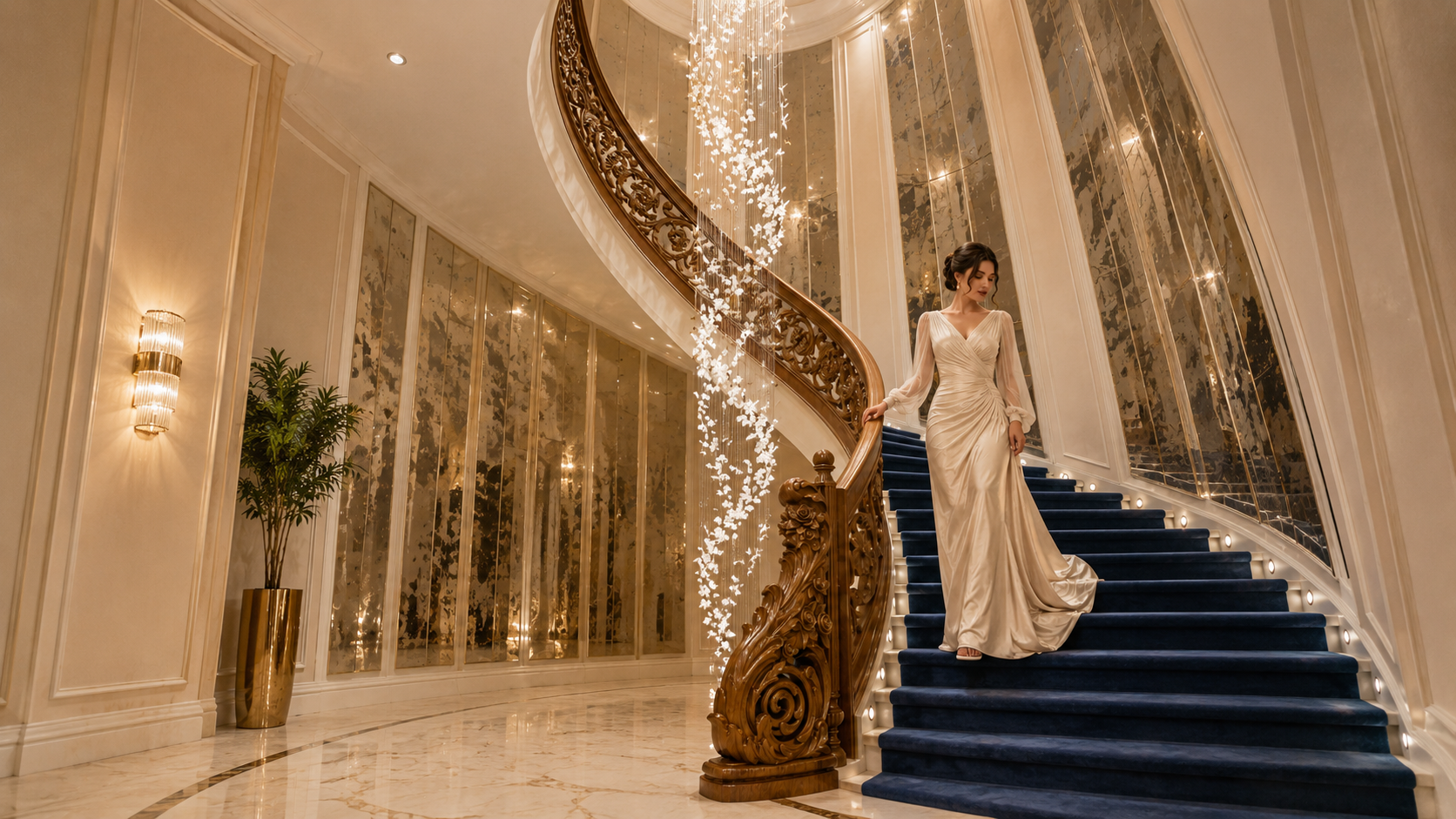
Transform spaces before they exist.
Premium architectural visualization, cinematic interiors, and immersive design storytelling.
Explore the CanvasCurrent status
A focused, production-ready toolkit.
Curated workflows that ship — engineered for archviz studios that need consistent results.
Workflows
See how the nodes talk to each other.
Final workflows are the production-ready upscalers — Z-Image Turbo and Flux 2 Klein 9B. Work-in-Progress workflows are exploratory image and video graphs that may still change week to week.
Final production graph: tiles a 1280×720 render and rebuilds it at 2560×1440 with Ultimate SD Upscale + Z-Image Turbo (fp8 scaled). Adds a ModelSamplingAuraFlow shift and an optional Florence caption pass for material preservation.
- 1Load 1280×720 source render
- 2(Optional) Florence caption + material-preservation prompt
- 3Pass into the Upscale Brain subgraph (AuraFlow shift 3.0, denoise 0.11)
- 4Compare before/after with Image Compare
- 5Save the 2560×1440 PNG to /output
Print boards, hero renders, 2K–8K facade close-ups
Example workflows
Three ways people are using it.
What this is
A spatial workspace for thinking through archviz.
Why this exists
The problem this is poking at.
- ArchViz workflows are fragmented across too many disconnected tools.
- Iteration is slow and repetitive, especially in early concept stages.
- Creative exploration lacks a spatial way to organise ideas and references.
- This project explores a unified spatial plus AI workflow approach.
Models
Download checklist.
Every file the workflows above expect, with the exact ComfyUI directory it belongs in.
Image generation models
Final workflow uses the fp8 scaled variant — sub-second inference, fits comfortably in 16 GB VRAM. BF16 fallback as altUrl.
Bilingual text embeddings. FP8 version recommended for 8–12 GB GPUs.
Rename to ae_zimage.safetensors after download to avoid Flux conflicts.
Final upscaler — preserves material detail without unwanted artifacts. Loaded by Ultimate SD Upscale.
Used by the Flux 2 Klein 9B upscale workflow. FP8 quantisation fits within 16 GB VRAM with the rest of the graph.
Larger Qwen 3 encoder paired with Flux 2 Klein for stronger prompt understanding. Loaded on CPU by default.
Matched VAE for Flux 2 Klein. Keep separate from ae_zimage.safetensors.
Pre-upscaler for the Flux Klein workflow. Sharper micro-detail than RealESRGAN on architectural materials.
Used by the optional Florence caption node. Place the full folder under models/LLM/.
Required by the Florence caption node. Captioning is optional — leave the prompt empty or supply your own text to skip.
Used by all six new Z-Image workflows. Apache-2.0.
The new workflows load it as ae.safetensors (no rename needed).
Base Render, Inpaint, Detail Bokeh, Social Pack, Camera Re-render.
Detail Bokeh. Auto-downloaded by the node on first run.
Camera Re-render only.
Camera Re-render only.
Camera Re-render only.
Camera Re-render only.
Camera Re-render only.
Video generation models
fp8 variant for lower VRAM video generation.
Keeps geometry stable across video frames.
VRAM Requirements
What your GPU can actually run.
Practical VRAM tiers based on the models above. Mobile and display-attached GPUs lose ~1–1.5 GB to the desktop, so plan effective VRAM accordingly.
Entry-level image generation only. Use FP8 variants and tiled decoding.
- Z-Image Turbo FP8 + Qwen FP8
- 1024×1024, batch size 1
- Tiled VAE decode required
- Video workflows not recommended
Sweet spot for the workflows on this page. Comfortable headroom for most ArchViz tasks.
- Z-Image Turbo BF16 + Qwen 3.4B
- Up to 2K outputs with tiled upscale
- ControlNet Union SDXL ProMax
- Short FramePack video clips with tiling
Full-fat video generation, longer clips and parallel jobs.
- FramePackI2V_HY fp8 with longer durations
- HunyuanVideo VAE without aggressive tiling
- Run image + video graphs in parallel
- Batch render presentation deliverables
Custom nodes
Install via ComfyUI Manager.
The exact search terms to copy/paste into ComfyUI Manager - no manual git cloning required.
Why Z-Image Turbo
Built for fast feedback loops.
- 3–5 seconds per 1024×1024
- 8-step generation
- Fits in 16 GB VRAM (FP16)
- Natural-language prompts
- No keyword token stacking
- 30–50 seconds per 1024×1024
- Higher step count required
- Demands more VRAM
- Throttles on mobile GPUs
- Slower iteration loop
Insights
Things you'd otherwise learn the hard way.
- No negative prompts - guidance is baked in at distillation time.
- Seed variation is limited; change prompt language for composition variation.
- Rename ae.safetensors to ae_zimage.safetensors to avoid Flux conflicts.
- Minimum 12 GB VRAM for image workflows; 16 GB+ recommended for comfortable headroom.
- Mobile and display-attached GPUs lose ~1–1.5 GB to the desktop, so plan effective VRAM accordingly.
- Monitor GPU thermals and clocks during long runs; sustained throttling can add 40%+ to gen times.
- Enable Hardware Accelerated GPU Scheduling on Windows for lower latency.
- Always insert Preview Image nodes - debugging without them is brutal.
- Use Reroute nodes to keep large graphs readable; they're zero-overhead.
- ComfyUI does not auto-save. Ctrl+S after every meaningful change.
- Budget ~1 GB VRAM per 10 s of video; a 12 GB card with tiling can push ~90 s.
- Be specific in motion prompts: 'slow orbit around building' beats 'move camera'.
- Use ControlNet-Depth to keep architectural geometry stable across frames.
Changelog
What's changed lately.
A running log of updates pushed to this hub — workflow tuning, page additions, and bug fixes.
- 2026-10-15
Six new Z-Image Turbo workflows
Added Base Render, 2× Upscale, Inpaint, Detail + Depth Bokeh, Social Pack and a Qwen Edit Camera Angle Re-render, all on the int8 Z-Image Turbo checkpoint with the Z-Image Fun ControlNet Union 2.1. Each has its own node graph, model list and Drive download. Replaces the old Fooocus inpaint and SDXL ControlNet drafts.
- 2026-06-02
Flux 2 Klein 9B upscale workflow added
Added a second production upscale workflow built around flux-2-klein-9b-fp8 + qwen_3_8b_fp8mixed text encoder + flux2-vae, with 4x-UltraSharp as the pre-upscaler. JSON is downloadable from Drive, dedicated page with node graph and before/after slider. Workflows section reorganised into Final vs Work-in-Progress tabs.
- 2026-05-17
Final Z-Image Turbo upscale workflow + caption pass
Switched upscaler to RealESRGAN_x4plus, base model to z-image-turbo_fp8_scaled, kept Qwen 3.4B encoder and ae_zimage VAE. Inserted ModelSamplingAuraFlow (shift = 3.0), lowered denoise to 0.11, tuned seam-fix and tile settings. Optional Florence caption pass added. Fits comfortably within 16 GB VRAM.
- 2026-05-16
Detailed workflow moved to its own page
Spun the ArchViz ZIT 2× workflow off into a dedicated route with a downloadable JSON, before/after slider, and a fullscreen animated node graph. Home cards link straight into it.
- 2026-05-15
Mobile polish + visitor counter cleanup
Header now collapses into a mobile menu, model section shows total download size, and the broken visitor counter / ZIT GitHub link were removed.
- 2026-05-14
Interactive upscale diagram
Introduced the live workflow diagram (zoom, pan, drag, fullscreen) with orthogonal routing and per-node notes — touch-friendly pinch + pan included.
- 2026-05-13
Hub launch
First public version: 5 image + 5 video workflows, model checklist, VRAM tiers and custom-node install hints.
Resources